Targets (Retests)
Track assessed assets, manage findings, run retests, and generate remediation reports.
Open app.vulnetic.ai/targets and select the target you want to work on.
Analyze the vulnerability backlog
Open finding analysis to review the account’s vulnerability posture across targets. The analysis view includes:
- Severity by target
- Finding status distribution
- Age of open findings
- Finding trends over time
- A vulnerability leaderboard showing the targets with the most findings
Use the charts to identify high-risk targets and aging work, then open the underlying target or finding for evidence and status history.
Manage targets
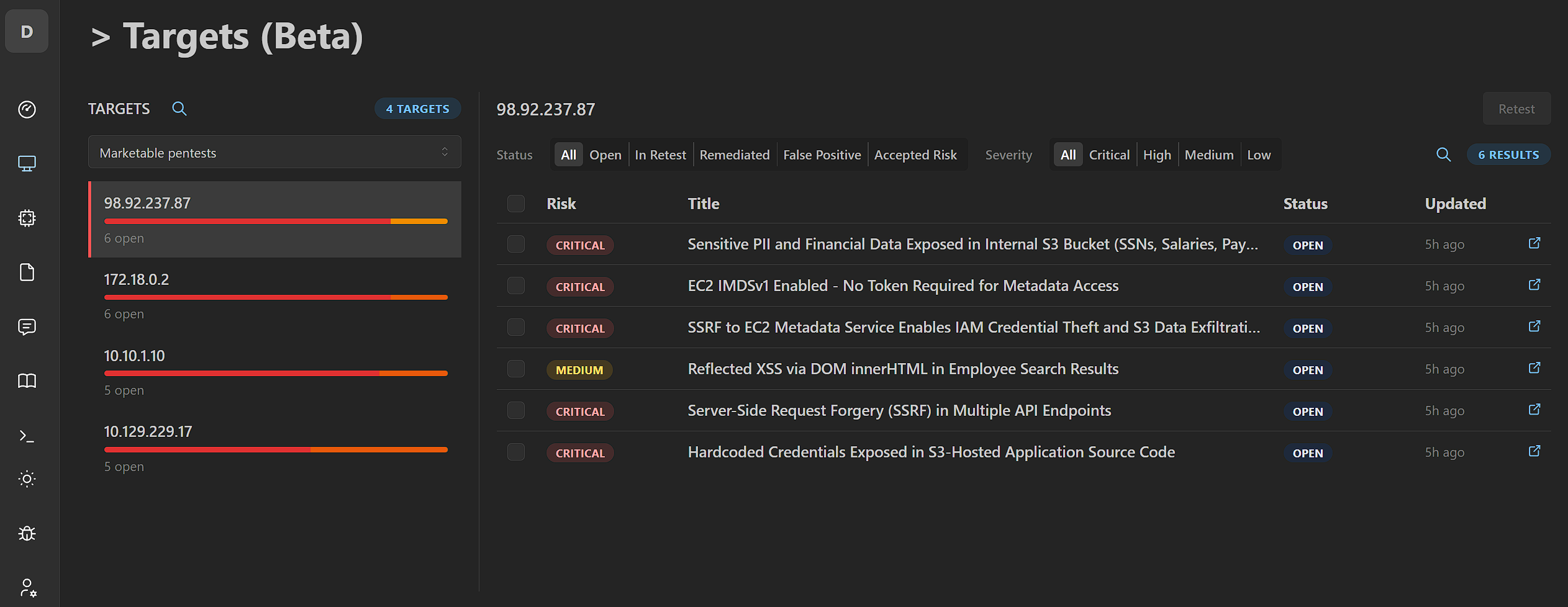
- Open the Targets view.
- Select a target to see its findings.
- Filter by status (Open, In Retest, Remediated, False Positive, Accepted Risk) or severity (Critical, High, Medium, Low).
Each target lists risk severity, status, and last updated timestamps.
Retest findings
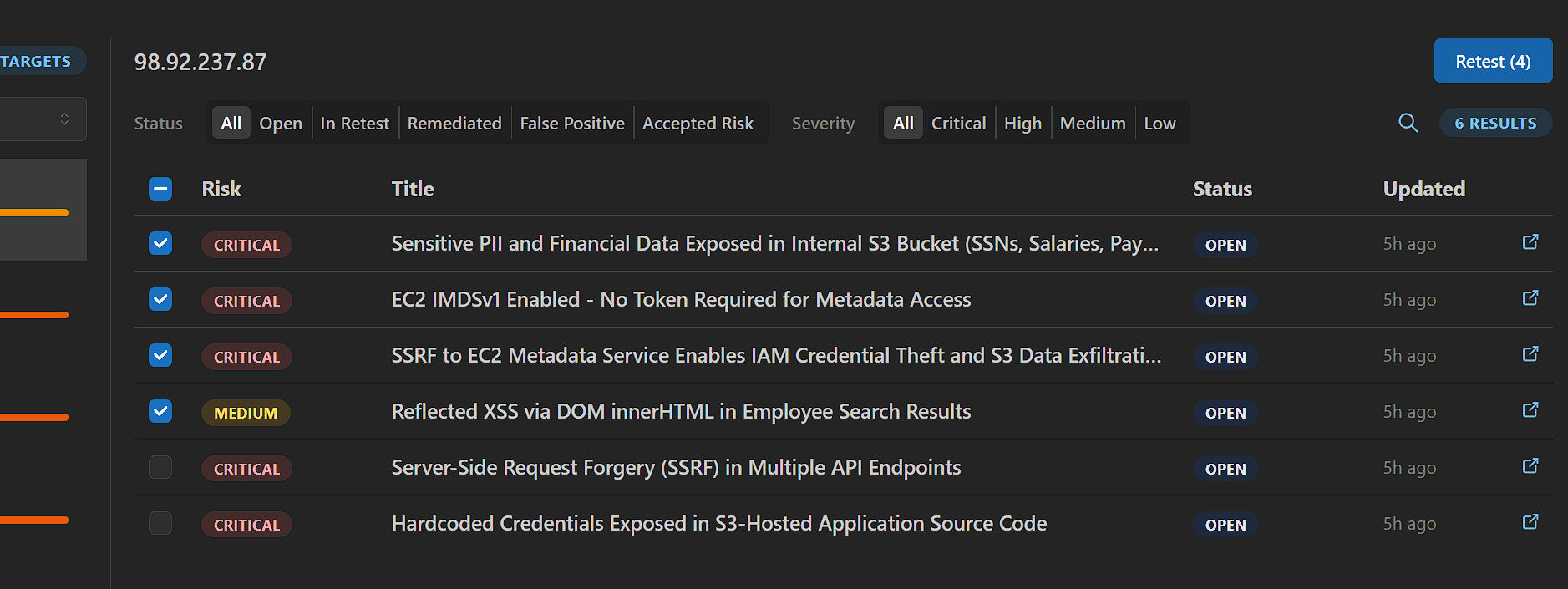
- Select one or more findings on a target.
- Click Retest.
- Review the updated status when the retest completes.
What happens:
- Sable re-runs the relevant checks against the target.
- Findings move to Remediated or remain Open.
- You can retest individual findings or batch retest open findings for a target.
Track vulnerability status
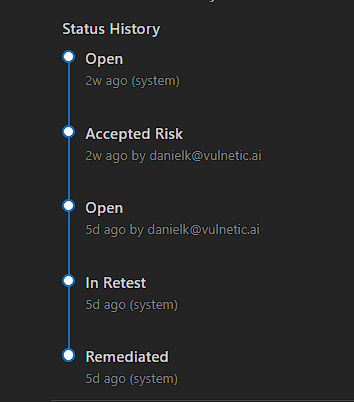
Each finding keeps a status history timeline: every state change, who made it, and when.
Statuses include Open, Accepted Risk, In Retest, and Remediated.
Generate a remediation report
- Open the target.
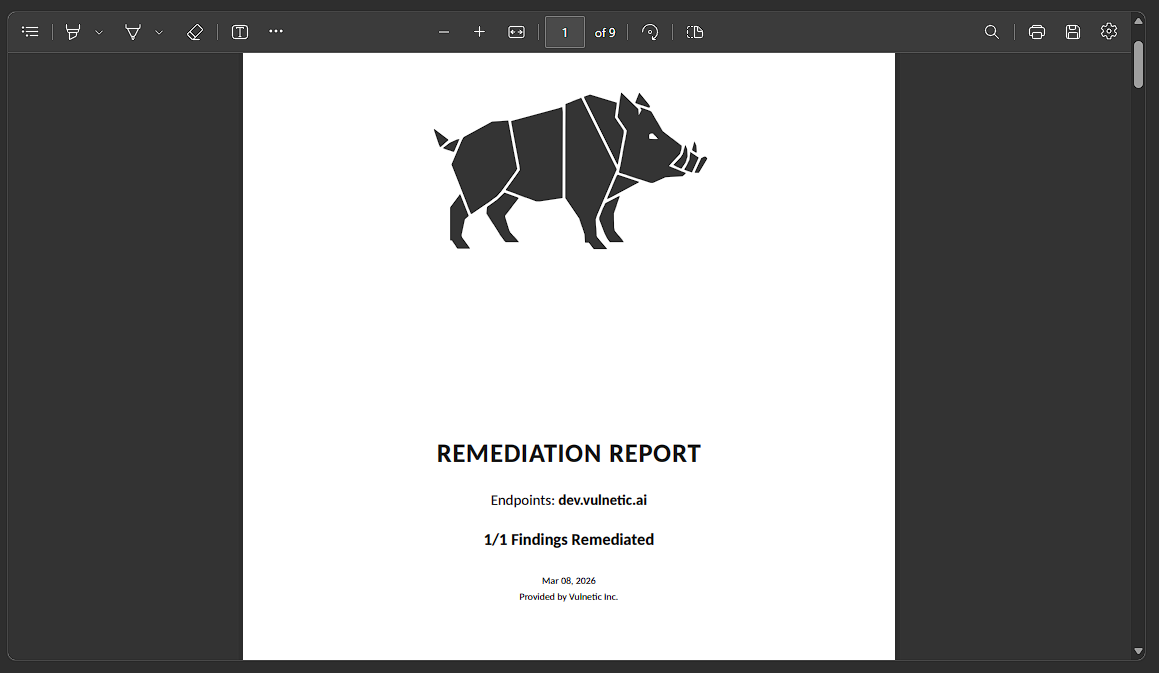
- Generate a Remediation Report.
- Download the document and share it with stakeholders, auditors, or compliance teams.
The report summarizes endpoints tested, findings remediated, and the verification date.
Next
- Review finding surfaces in a live session: Features
- Update findings from conversation: Sable Chat
- Sync findings via API: Findings API