Sable Chat
Sable Chat is the conversational surface for starting, inspecting, and controlling assessments. New accounts land here by default. Chat reads real session state (findings, reports, and controls), not generic advice.
Start from chat
- Open Chat from the navbar.
- Describe what you want to do in plain language.
- Confirm the target, scope, and any credentials or constraints when prompted.
- Start the session, or save a draft first (including a session time limit).
From one conversation you can:
- Start a new pentest against an authorized target
- Create and revise a session draft before it starts
- Continue or revisit an existing session
- Inspect session context and ask what happened during a run
New users are guided through Shell Server pairing inside chat. For the full Docker setup, see Getting Started.
Control a live session
During an assessment, tell chat what to change:
| Goal | What to ask chat to do |
|---|---|
| Queue new work | Add a task with a specific objective |
| Redirect current work | Steer the agent’s approach |
| Stop current work | Skip, pause, or stop the session |
| Review results | Summarize findings and their current statuses |
| Create a deliverable | Generate or export a session report |
Full control model: Controlling Sable
Work with findings
- Ask for a summary of current findings and evidence.
- Open a specific finding’s history and status timeline when you need the audit trail.
- Request a status change (Open, In Retest, Remediated, Accepted Risk, False Positive).
- Confirm the change when chat asks.
Retest workflow: Targets (Retests)
Chat presents state-changing actions on confirmation cards. Review the target session, finding, requested transition, or control action before confirming it.
Generate a report
- Ask chat to generate a report for the session.
- Wait for generation progress to finish.
- Download and share the document.
Report options in the workspace: Features: Report tab
What you will see
- Tool activity as the assistant works
- Auto-titled conversations in your recents
- Web research when a question needs current external information
Web research and sources
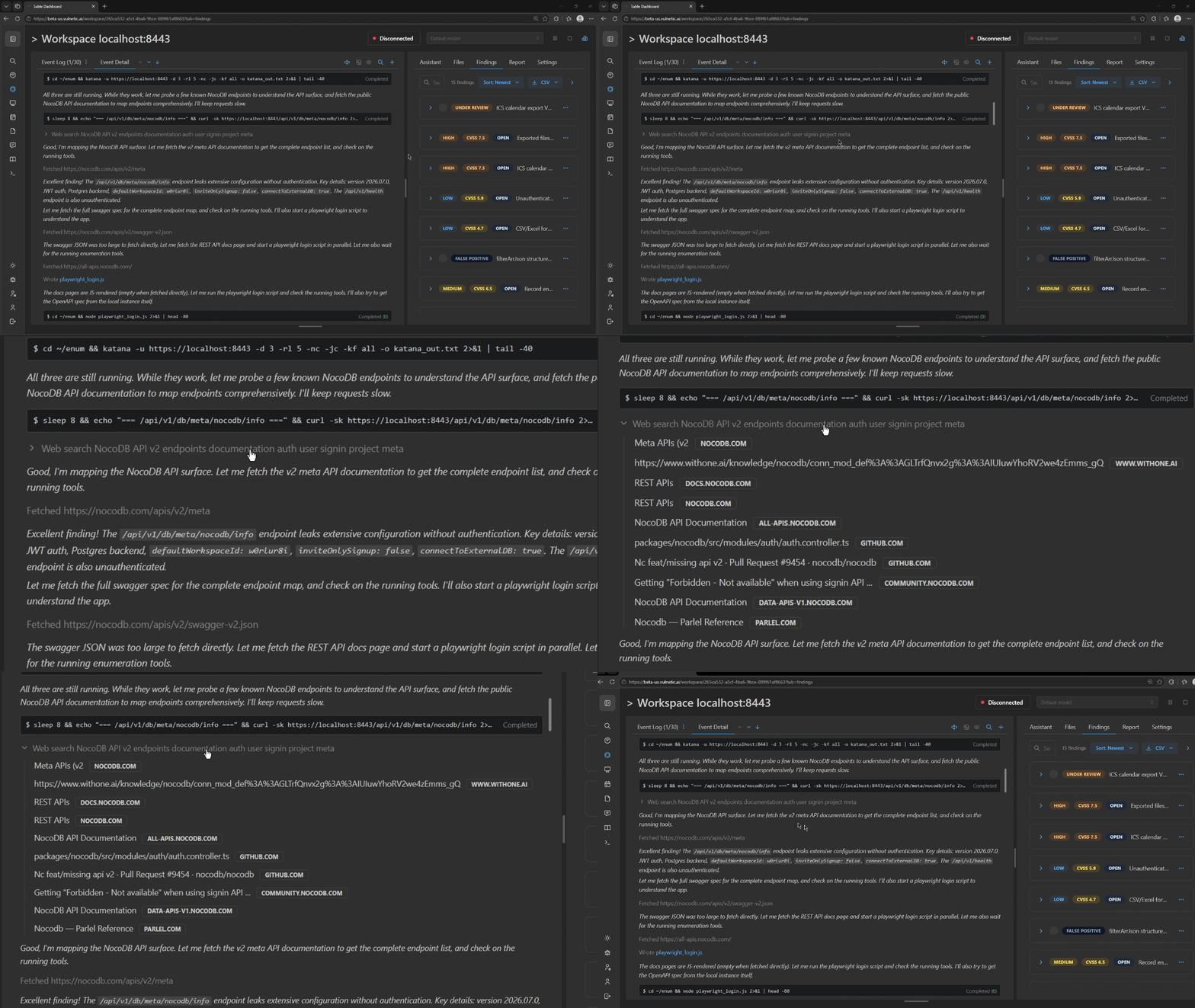
Sable can search for external security research, inspect relevant pages, and show the sources it used in the activity trace. Use this when an assessment needs current CVE details, vendor guidance, API documentation, or public proof-of-concept context.
- Ask Sable to research the specific technology or issue.
- Review the returned source titles and domains.
- Open a source when you need to verify its relevance or recency.
- Keep the cited research with the activity trace as supporting evidence.
Usage
Chat uses AI inference and counts toward your plan’s usage, the same as pentest sessions and report generation. See Usage Limits.
Next
- First-time setup: Getting Started
- Workspace surfaces: Features
- Programmatic access: API Quickstart