Methodologies
A methodology is a reusable playbook for Sable: a prompt that shapes how it tests, plus starter tasks that appear when a session begins.
Create a methodology
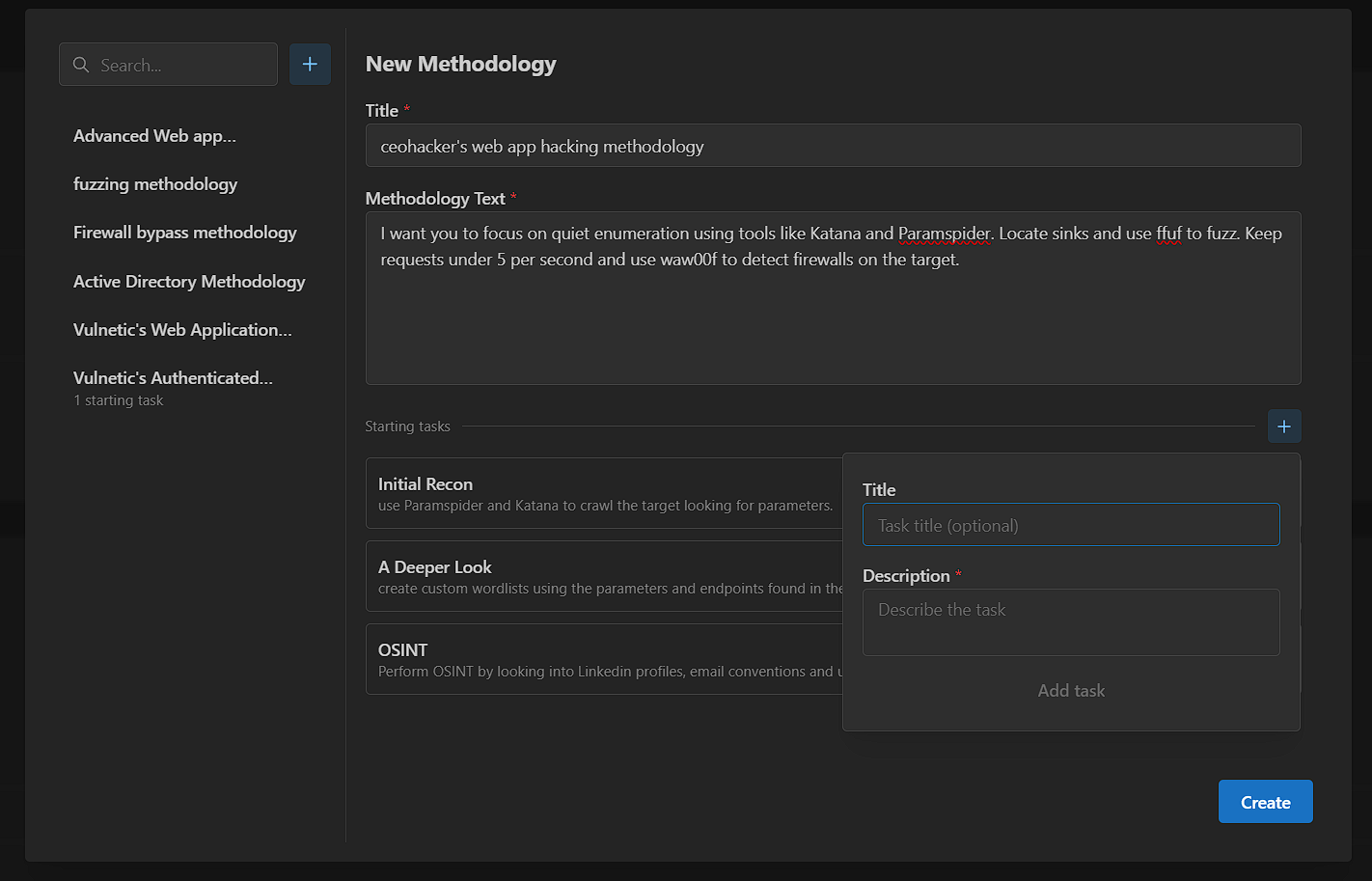
- Open the Methodologies page in the app.
- Click + in the top left.
- Enter a clear title.
- Write the methodology prompt. This is direct instruction to Sable.
- Add starter tasks for the first stage of the assessment.
- Save the methodology.
What to put in the prompt
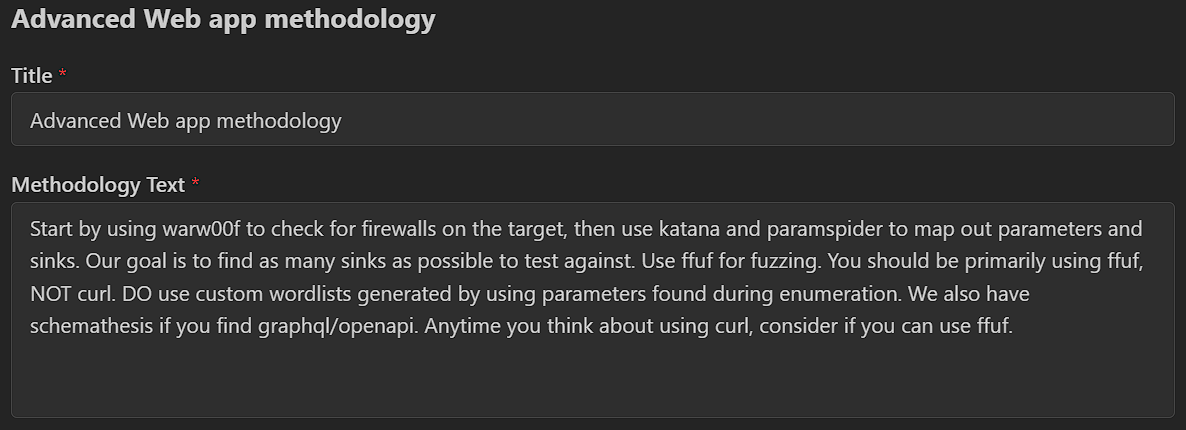
Include concrete operator preferences, for example:
- Requests permitted per second
- Preferred tools (for example, katana, wafw00f)
- Approach (sinks and parameters, authenticated admin routes, AD enumeration, and so on)
- Hard rules (out-of-scope paths, no destructive actions, required credentials)
Add starter tasks
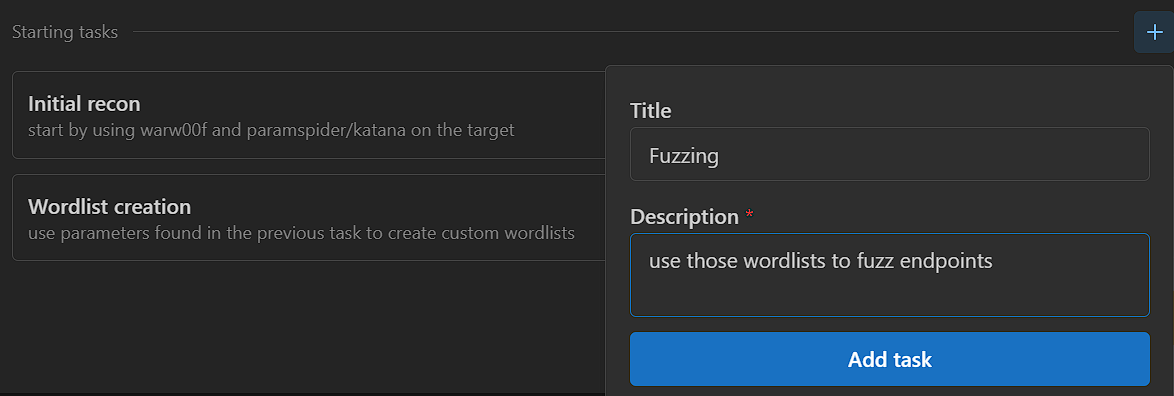
- In the methodology editor, create one or more tasks.
- Keep each task to 1–2 sentences describing the first work you want done.
- Save.
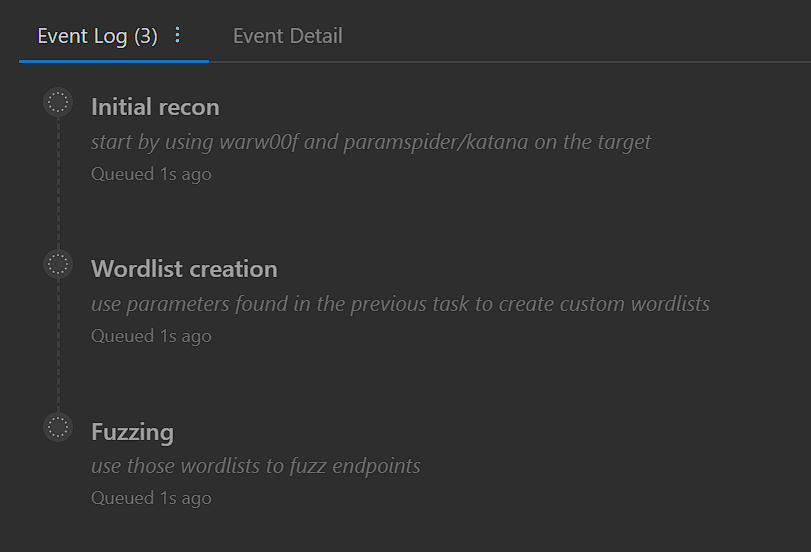
These tasks populate automatically when you start an assessment with this methodology.
Use a methodology in a session
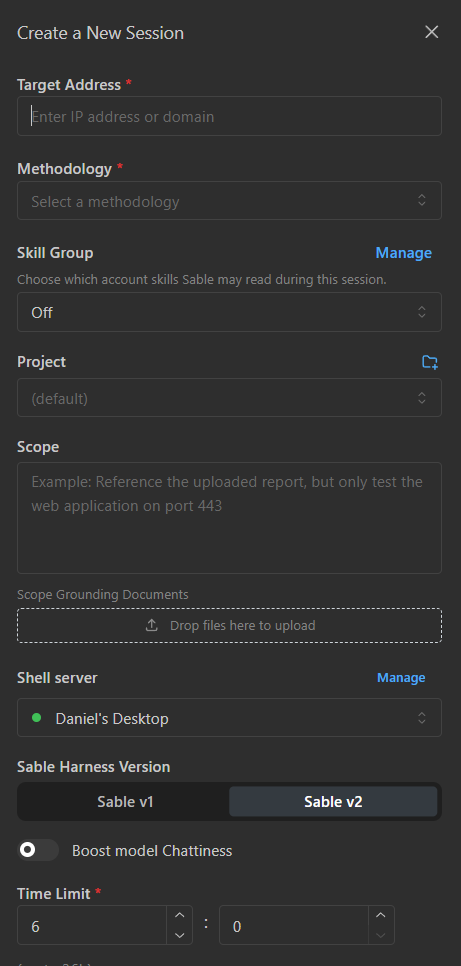
- Create a new assessment from the Dashboard.
- Select your methodology during configuration.
- Start the session.
Starter tasks appear in the assessment queue immediately.
Tips
- Prefer specific instructions over vague goals.
- Put scope and out-of-scope rules in the assessment scope fields as well as the methodology when they are engagement-specific.
- Use methodologies for reusable workflow preferences; use Steer for live redirection during a single task.
Next
- Run a session with your methodology: Getting Started
- Add reusable procedures: Skills and Skill Groups
- Reuse it on a schedule: Scheduled Pentests
- Adjust work mid-assessment: Controlling Sable